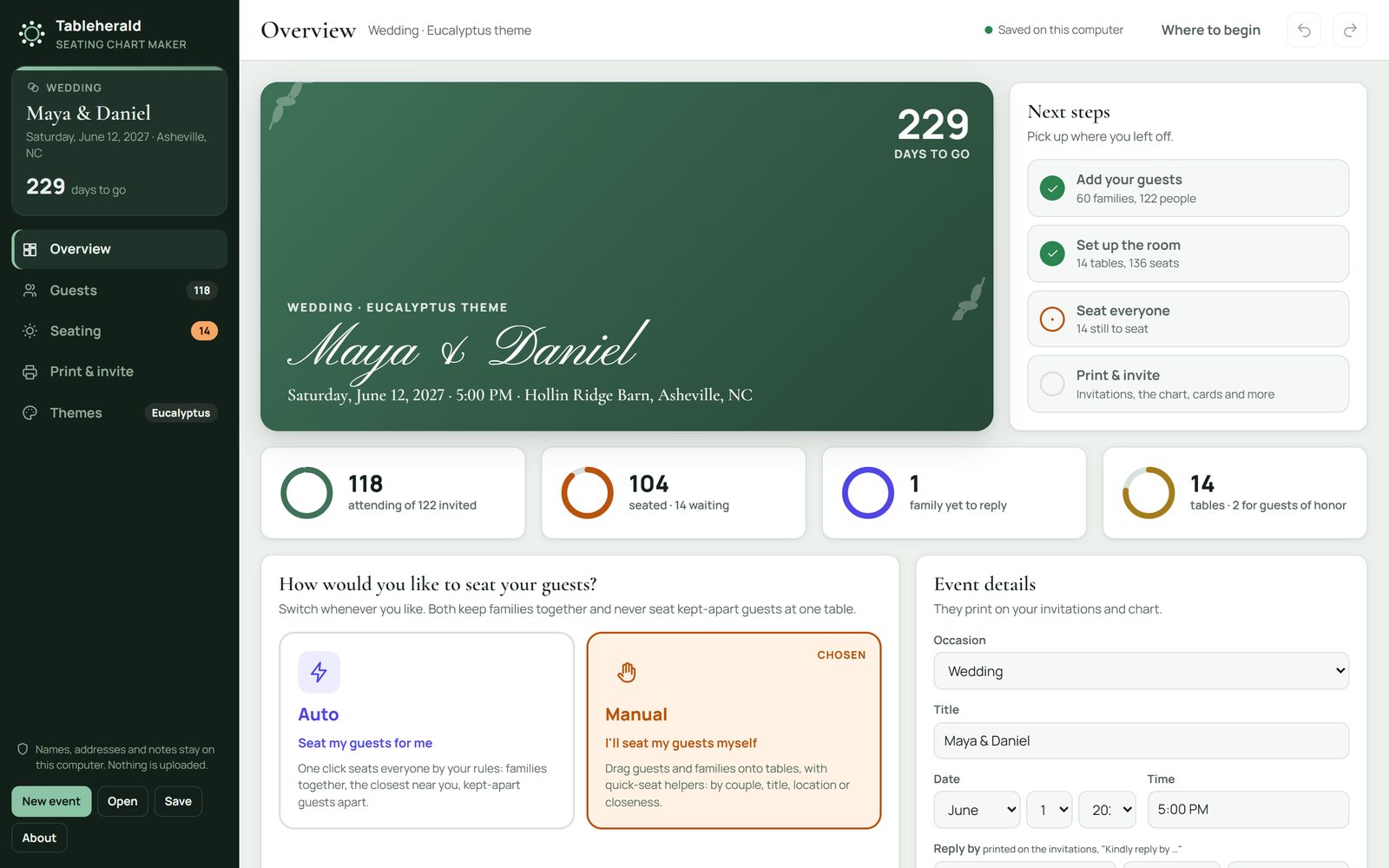
Your event at a glance.What's done, what's next, and the days to go.

 VitaesmithThe résumé builder
Vitaesmith UltimateThe job seeker's whole kit
Interview booksThree books for the interview
Advanced interview booksFour books for working life
 CoppertallyInvoices and paperwork
 FoilwrightBusiness cards
 SigilwrightLogos and brand kits
 GlassmasonYour business website
 TableheraldSeating charts and the printed set
 YearbinderThe planner maker, in three editions
 PennyreckonerYours to spend todayComing
Every app: pay once, no subscription, no account.Show more
VitaesmithThe résumé builder
Vitaesmith UltimateThe job seeker's whole kit
Interview booksThree books for the interview
Advanced interview booksFour books for working life
CoppertallyInvoices and paperwork
FoilwrightBusiness cards
SigilwrightLogos and brand kits
GlassmasonYour business website
 TillmasonT-shirt prices and marginsComingTableheraldSeating charts and the printed set
YearbinderThe planner maker, in three editions
 SlatepenmanHandwriting sheets for a whole classComing
 SwashcutterMonogram and name cut filesComing
 Pewterham Vol. 1: VintageVintage ornaments, frames, and fontsComingPennyreckonerYours to spend todayComing
Every app: pay once, no subscription, no account.
Tableherald
Bring in your guest list, seat everyone by your own rules or by hand, and print the whole set to match: the seating chart, the place cards, the invitations and more, each made to its exact size. Pay once; it's yours for good.
Buying on this site opens in the next few days.
Your event at a glance.What's done, what's next, and the days to go.
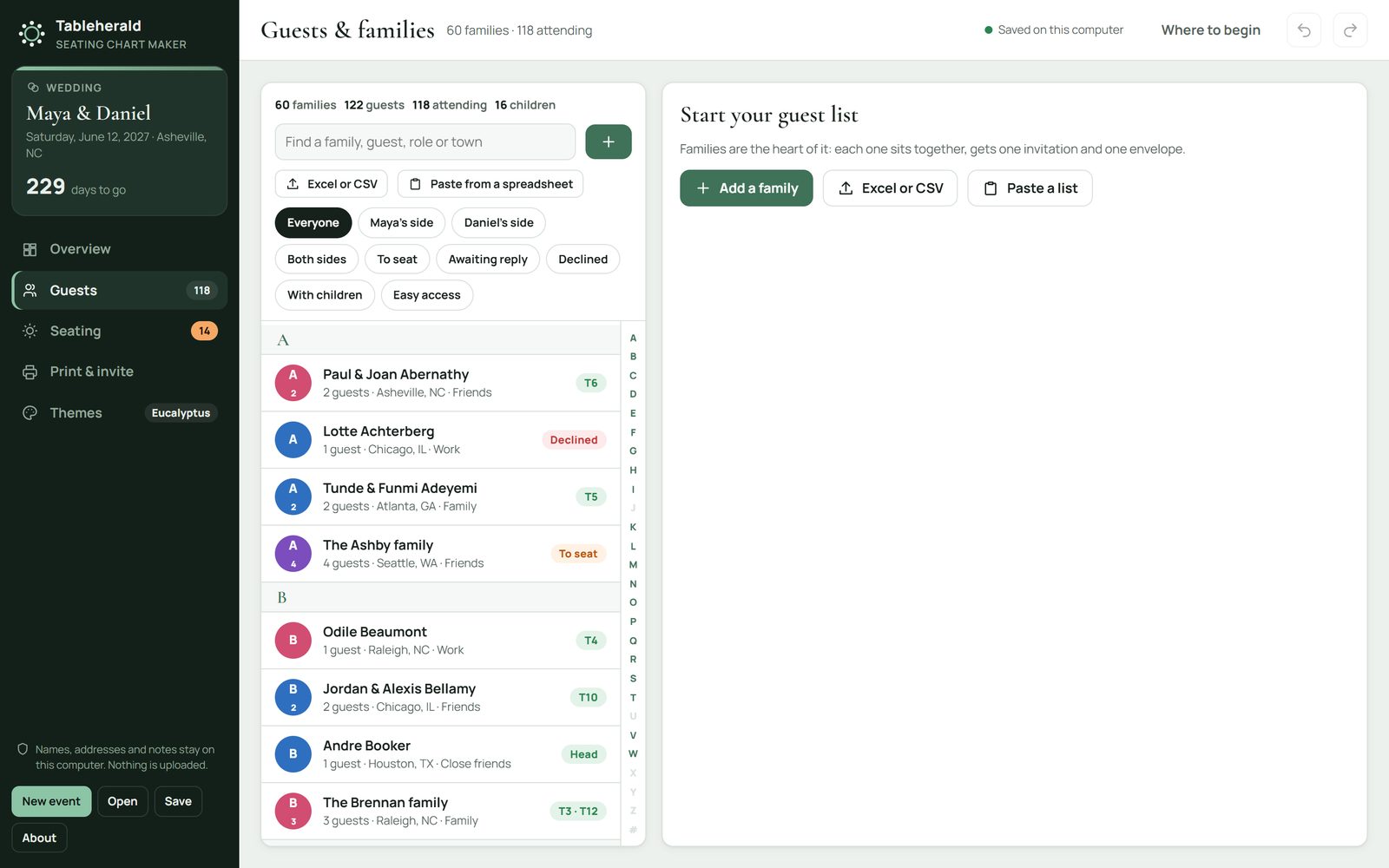
Your guests, as families.Each household sits together and gets one invitation.
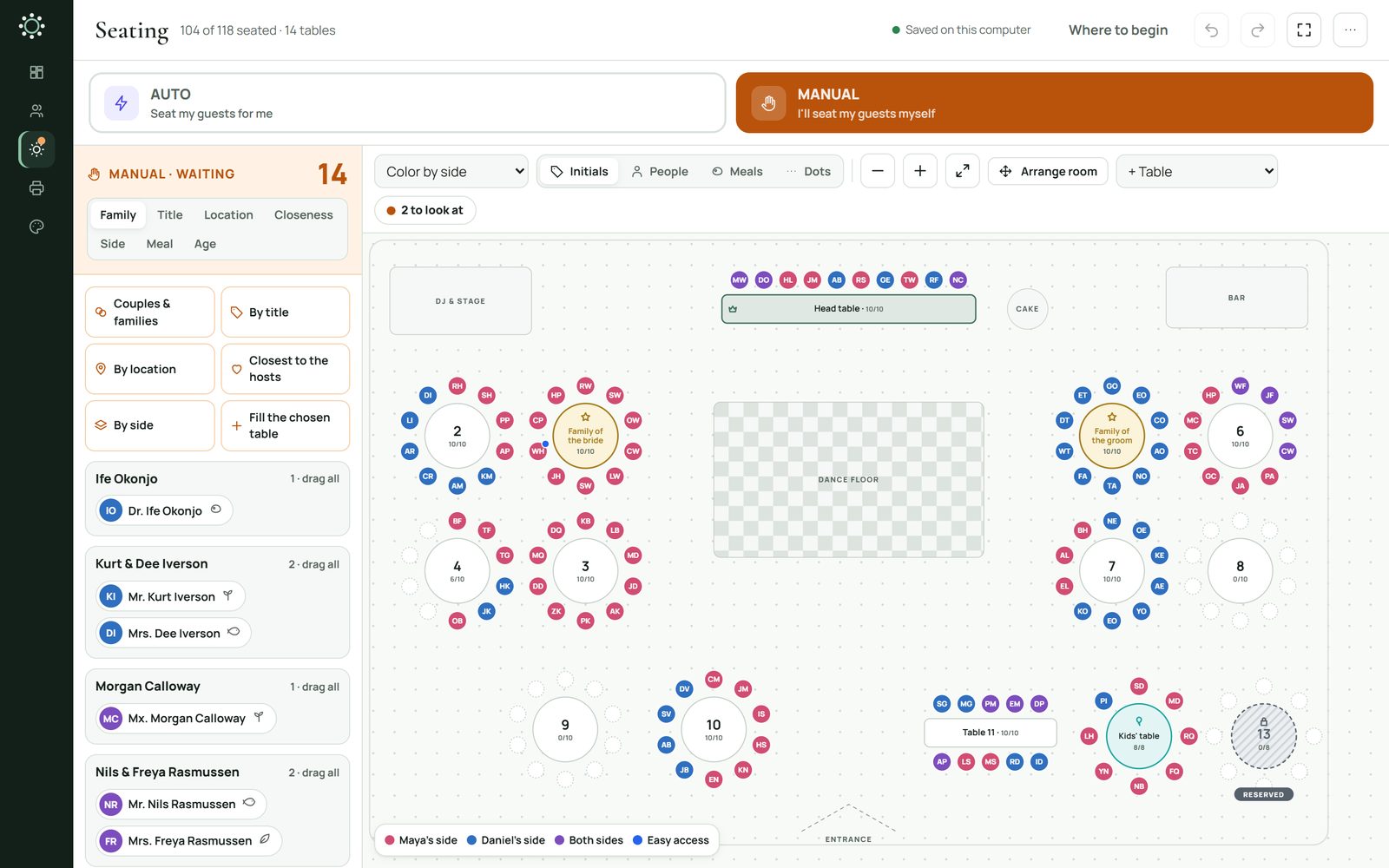
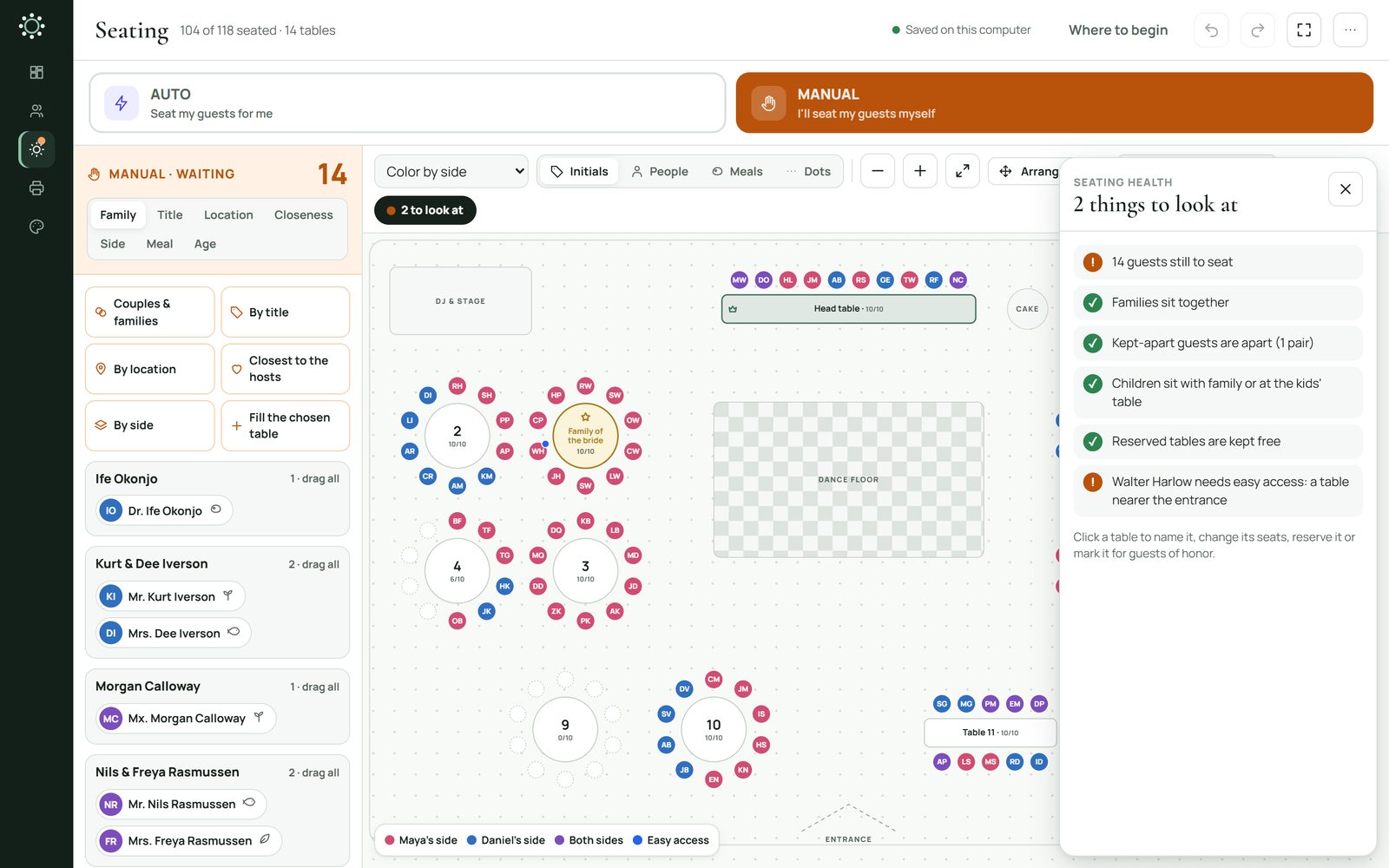
The room, from above.Every table, every seat, laid out like your venue.
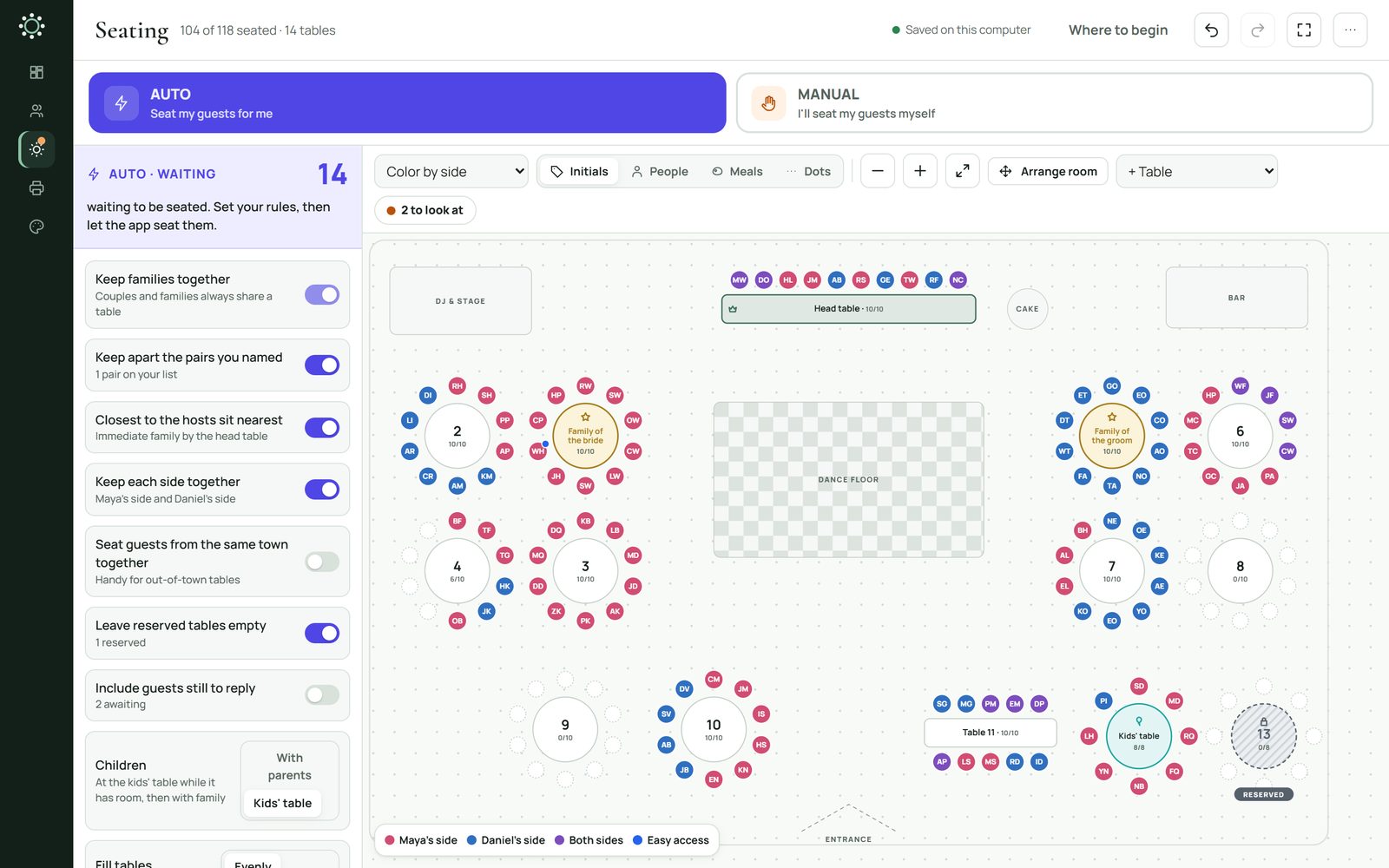
Seated by your rules.Or by hand, with 6 quick-seat helpers.
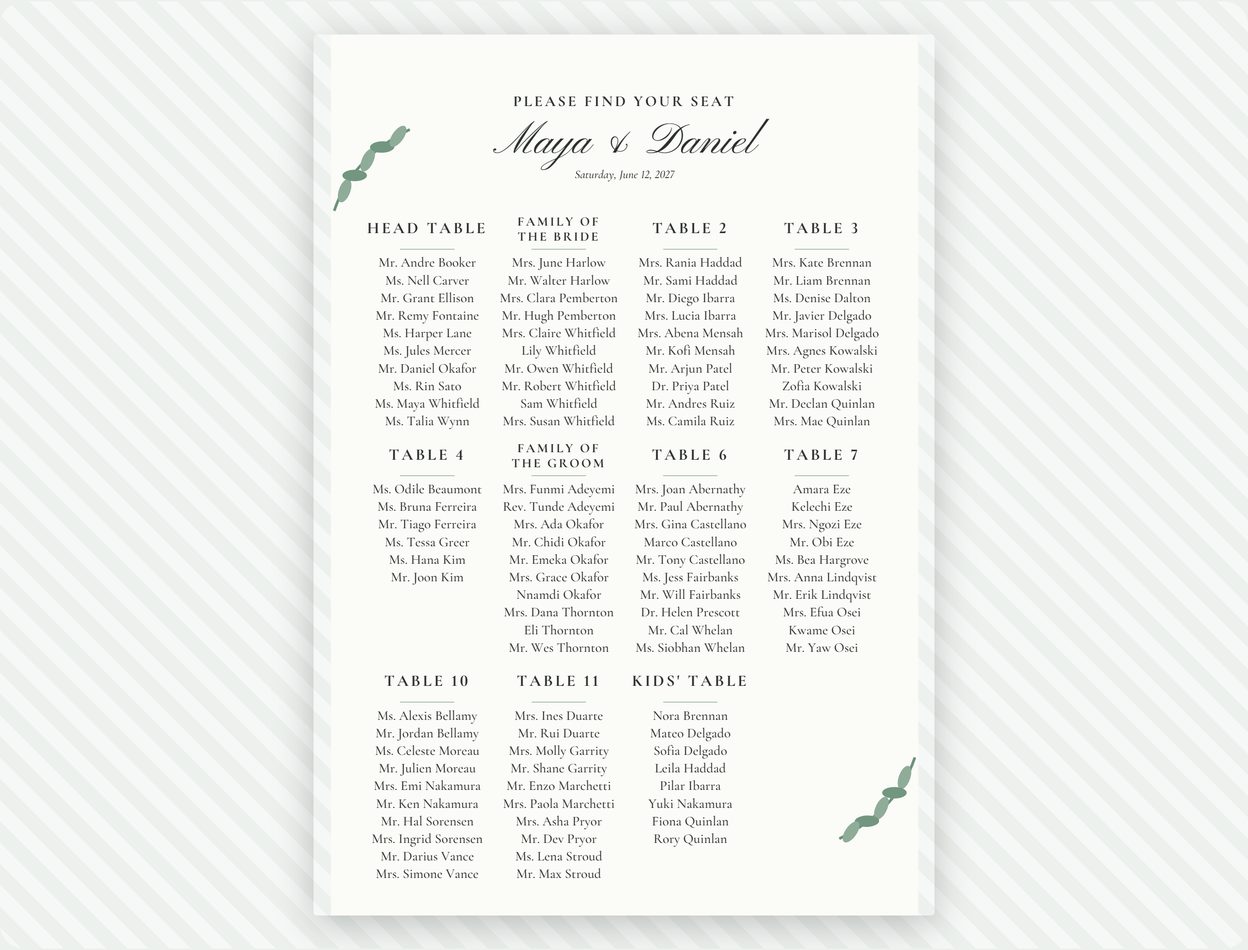
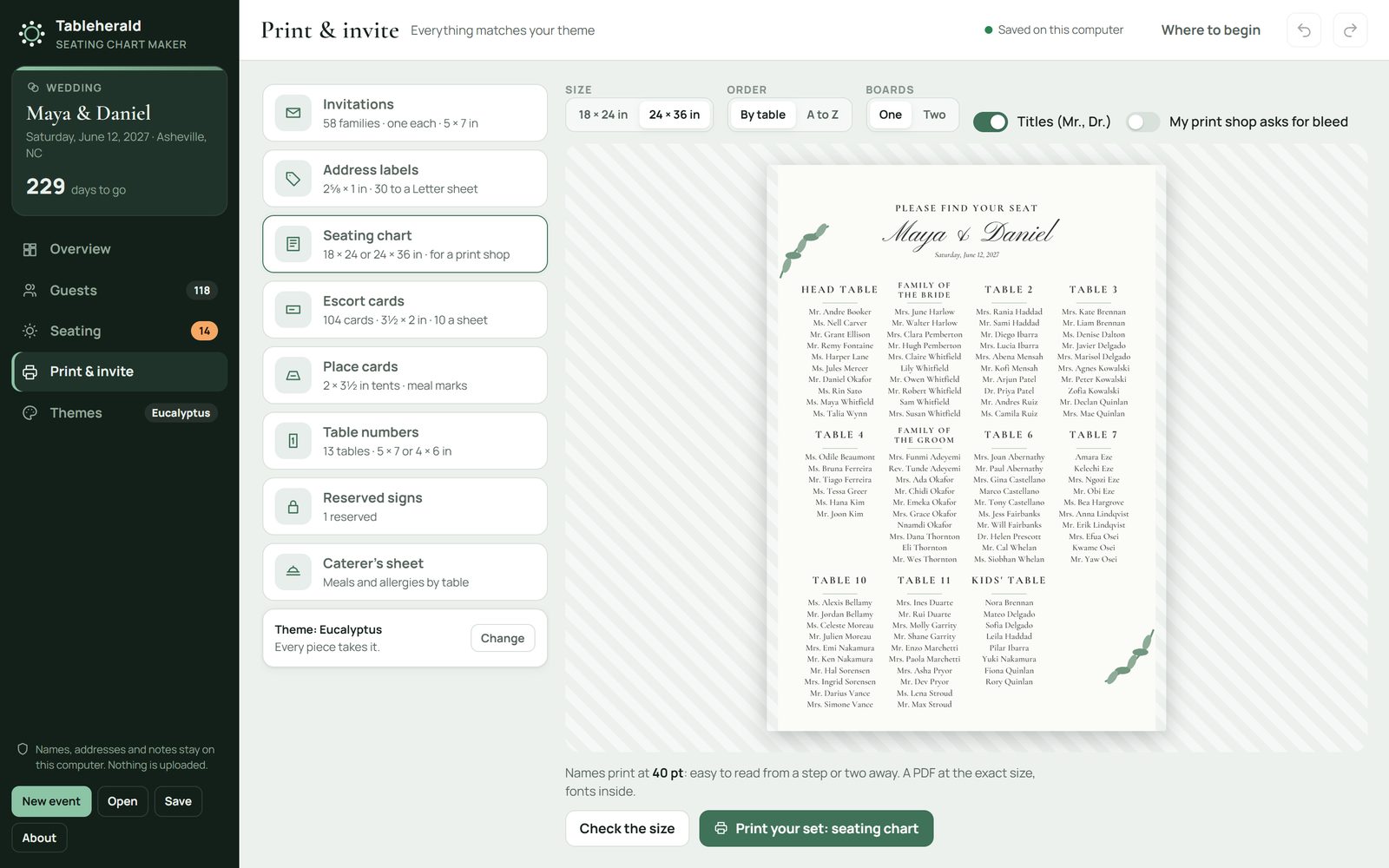
The chart for the door.24 × 36 in or 18 × 24 in, ready for a print shop.
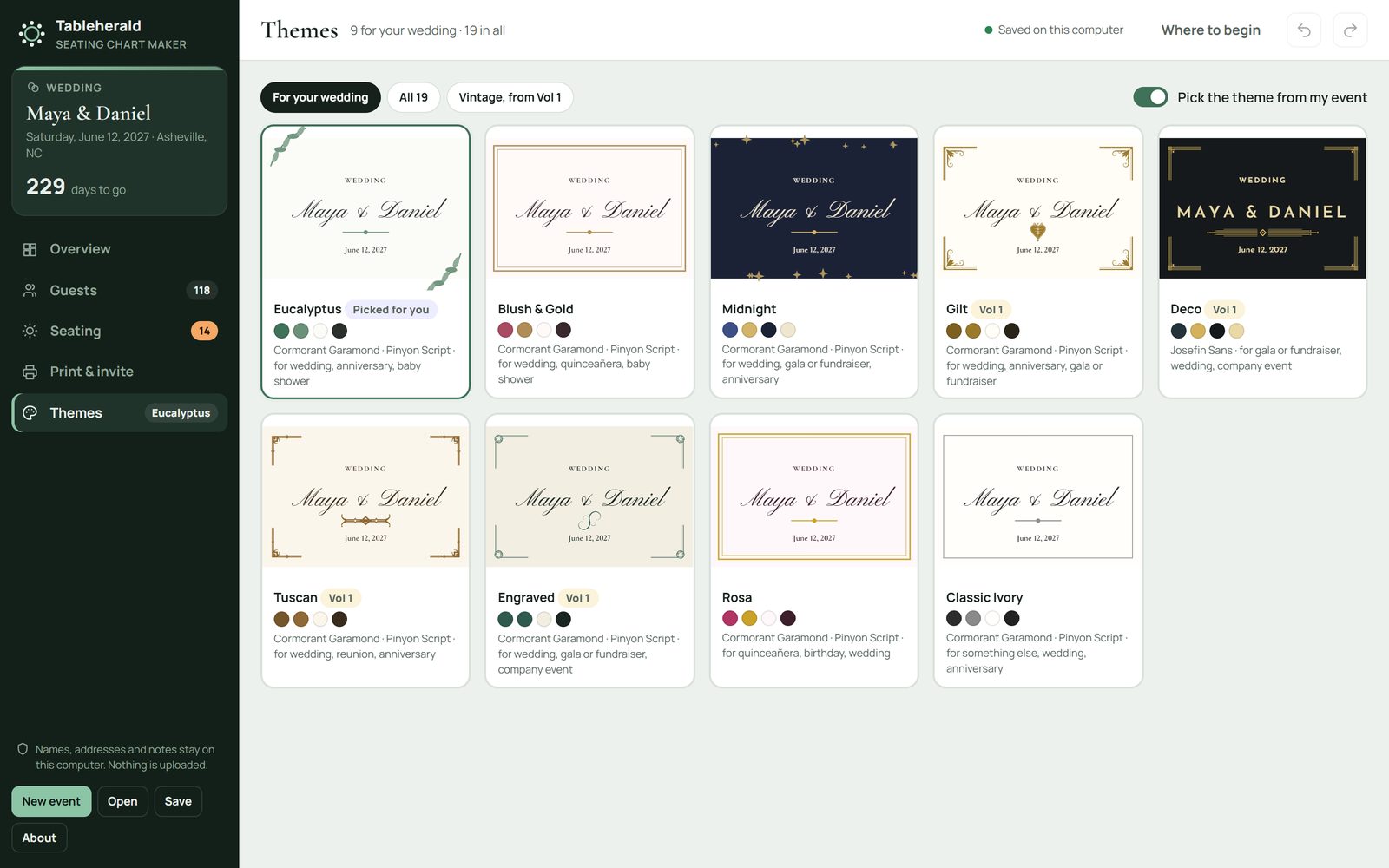
One theme, every piece.19 themes, from classic and vintage to bold.
Why Tableherald
Seating changes every time a guest replies. Tableherald keeps your list, your room and every printed piece in step, so a late change takes a moment, not an evening.
Guests
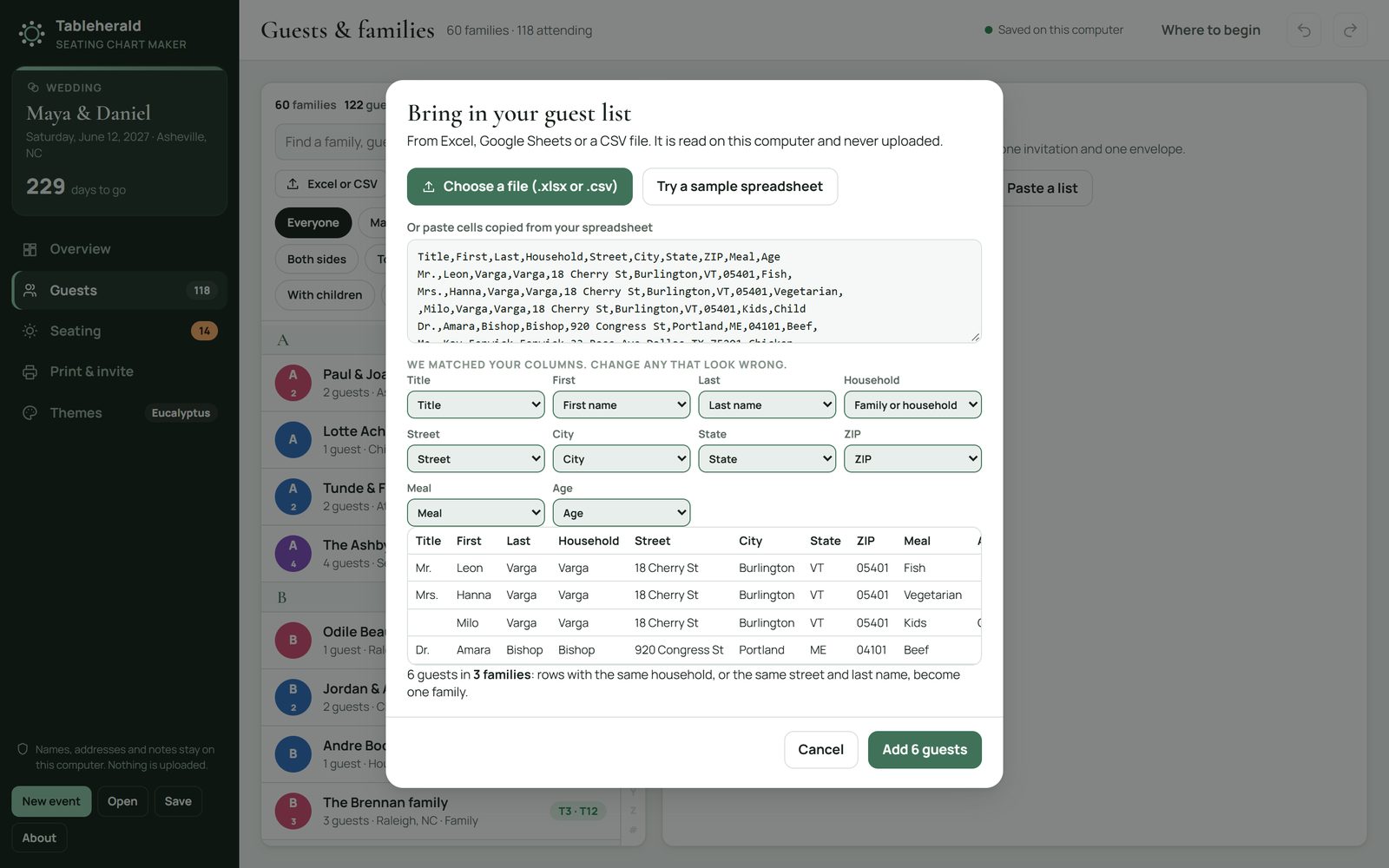
Type each household, paste a list, or bring in an Excel or CSV file. Tableherald reads it on your computer and keeps each household together, so they sit together and get one invitation. Add titles, meals, ages and allergies, and mark the guests who need easy access, or who should never share a table.
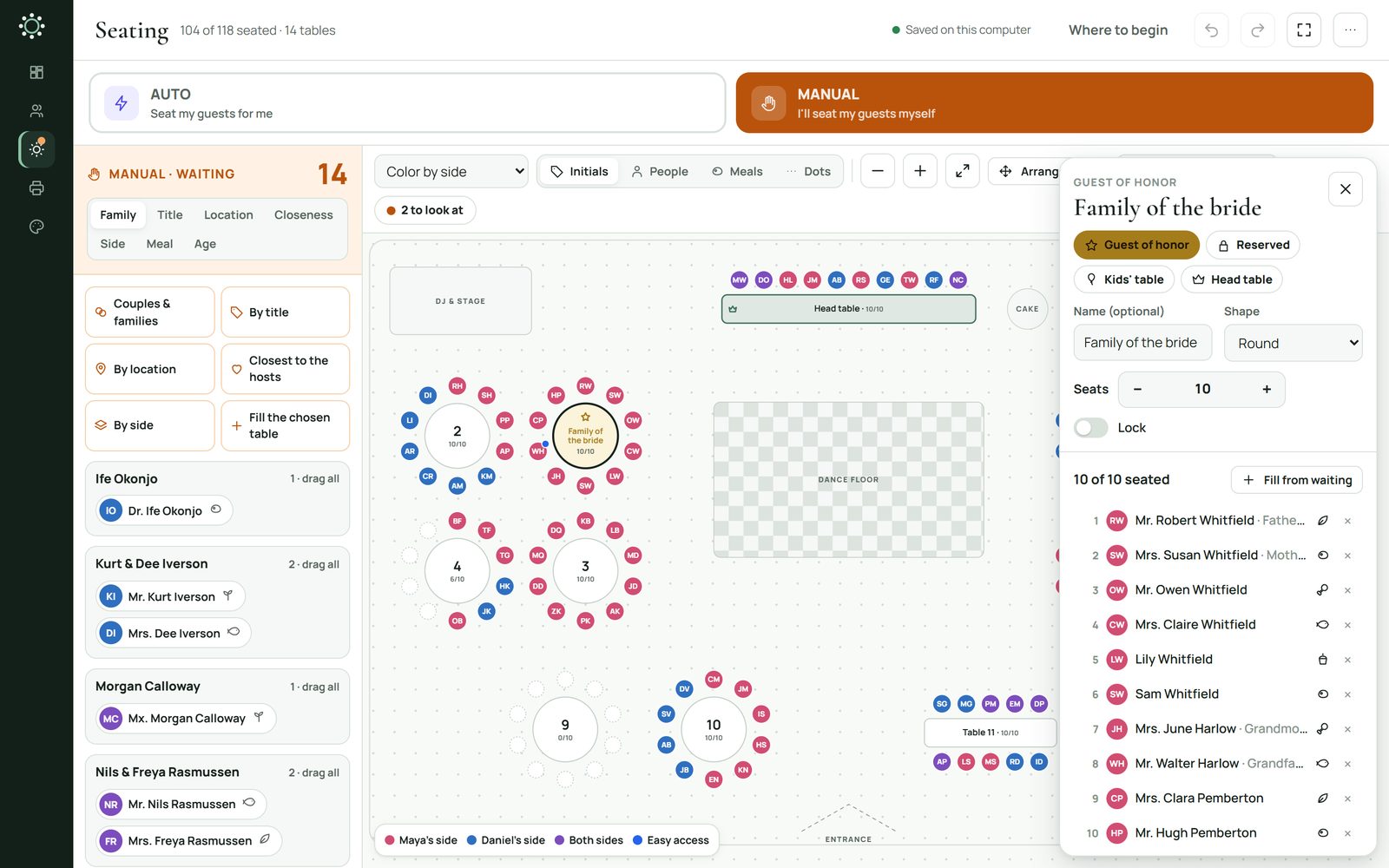
Seating
Switch on your rules: families together, the pairs you named apart, the closest to the hosts nearest the head table, each side together. One press seats everyone still waiting.
Drag a guest, or a whole family, onto a table. Six quick-seat helpers seat a group in one press, and Undo takes any of it back.
The room
Arrange the room like your venue: round, oval, square and long tables, a sweetheart table for two, the dance floor, the bar and the entrance. Make any table a guest-of-honor, reserved or kids' table, give it a name, and lock it when it's right.
Seating health
Six checks, always on: a guest still waiting, a family split up, a pair you kept apart at one table, a child away from family, a reserved table taken, and a guest who needs easy access far from the entrance. Each says why, and where to look.
Print & invite
Everything you print, in your theme. Each one is saved as a PDF made to its exact size, with the fonts inside, so it prints the same at home or at a print shop.
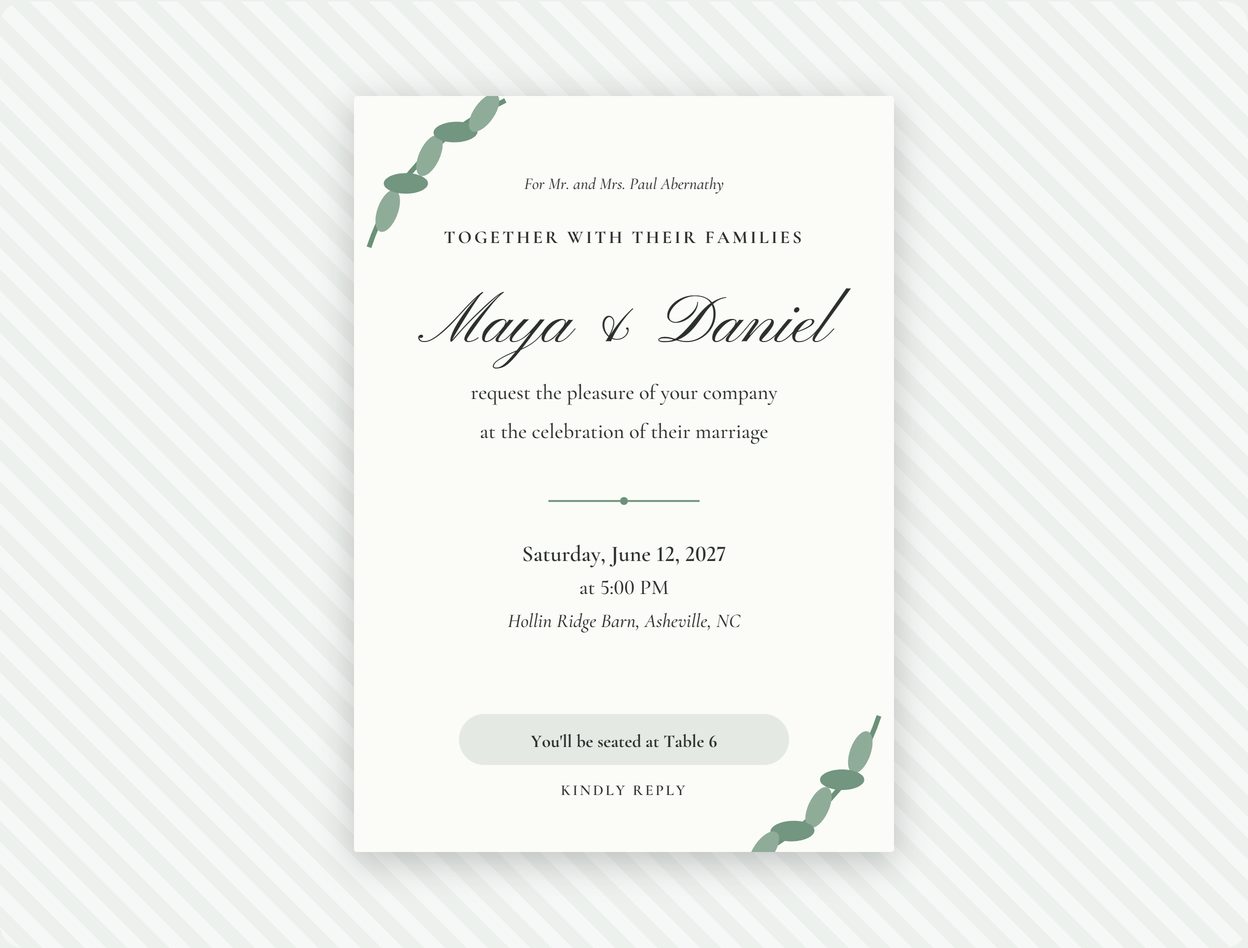
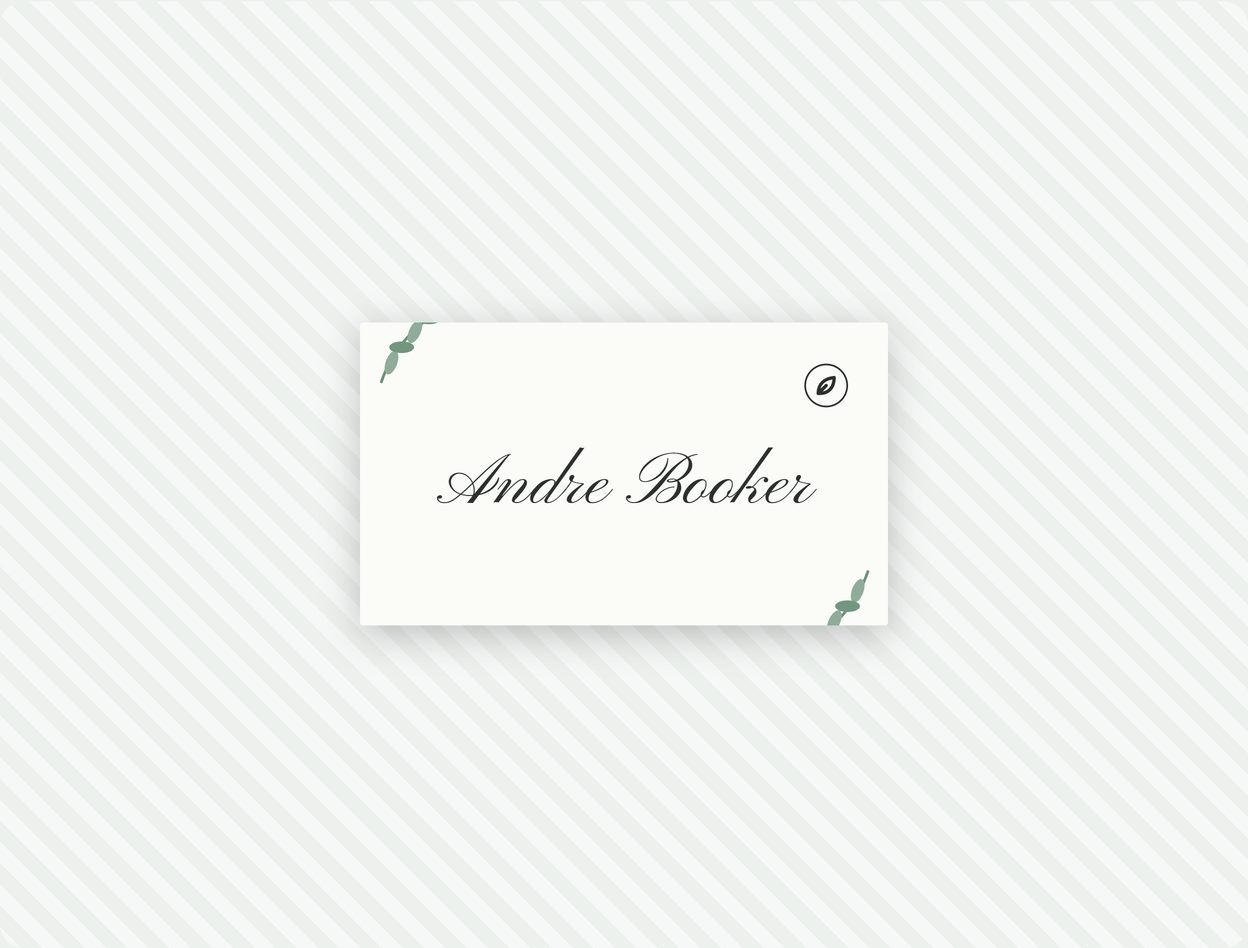
Tableherald makes the PDFs; you print them, at home or at a print shop. Nothing is printed or shipped to you.
The seating chart
24 × 36 in or 18 × 24 in, by table or A to Z, on one board or two. Tableherald says how big the names will print, and Check the size saves a page at the board's real size, to print on plain paper at home before you order.
Themes
From classic and vintage to bold and modern, each with its own typefaces and colors. Change it whenever you like: the invitations, the chart and every card change at once. Four vintage themes carry ornaments from Pewterham Vol. 1.
Tableherald runs in your web browser, from a folder on your computer. Names, addresses, meals and notes: nothing about a guest is uploaded.
Compare
Some seating tools charge for each event; others are programs to install. Tableherald plans every event you hold, in your browser, for one price. Here's how it compares, from each one's own pricing page, read on November 4, 2026; terms may differ where you live.
| Feature | TableheraldPewterham | PerfectTablePlanHome Edition | SeatPlanningEvent Pass |
|---|---|---|---|
| Price | $24.99 once, for every event you plan | Once, plus sales tax | Once for each event, one chart for 90 days |
| Guests | Up to 1,000 an event | Unlimited | Up to 500 seats |
| Where you plan | On your own computer, in your browser | A program you install, on up to 5 PCs or Macs | Not stated on its pricing page |
Prices and terms change: check their sites before you buy. PerfectTablePlan and SeatPlanning are trademarks of their owners; Pewterham isn't connected with them.
Tableherald
$24.99once · no subscription · yours for good · US dollars; any sales tax or VAT is added or included at checkout, as your country requires
Buying on this site opens in the next few days.
Tableherald makes the PDFs; you print them. It's for your own events and your family's and friends', not for planning paying clients' events. We don't refund a change of mind once the download starts. If anything's wrong with it, we'll fix it, replace it or refund you. Terms and refunds
No. Tableherald makes each piece as a PDF, at its exact size: you print the cards, labels and invitations on your own printer, and have the big chart printed at a print shop. Nothing is printed or shipped to you.
Auto follows the rules you switch on, and Seating health shows anything worth a look. You can move anyone by hand, lock a table you're happy with, and Undo any change: the seating is always yours to decide.
Yes: an Excel workbook (.xlsx) or a CSV file, or cells pasted from any spreadsheet. Tableherald matches your columns, puts each household together as a family, and reads it all on your computer.
Up to 1,000 guests and 150 tables in an event, and as many events as you like.
Not with this license. Tableherald is for your own events and your family's and friends'. Your license is for your own use of the app: you can't share, sell or give away Tableherald, or include it in another product. Read the license
The seating chart at 24 × 36 in or 18 × 24 in, for a print shop. Everything else on US Letter, at home: invitations at 5 × 7 in, and cards and labels on common sheets, named by size so any brand fits. Print a test page on plain paper first.
Only once, for a moment, to activate your code. After that it works offline.
Yes on a Mac: in Chrome, Edge or Firefox, on Windows or Mac, opened from the folder you download, with nothing to install. Its screens fit a phone or a tablet too, but it's made for a computer: START HERE explains how to use it on a phone.
We don't refund a change of mind once the download starts. If something's wrong with it, tell us: we'll fix it, replace it or refund you. Your legal rights aren't affected.
We read every message, and we keep improving.
Write to [email protected], about the app or anything else.