LiteThe month.Every date opens its day; the tabs open the rest.

 VitaesmithThe résumé builder
Vitaesmith UltimateThe job seeker's whole kit
Interview booksThree books for the interview
Advanced interview booksFour books for working life
 CoppertallyInvoices and paperwork
 FoilwrightBusiness cards
 SigilwrightLogos and brand kits
 GlassmasonYour business website
 TableheraldSeating charts and the printed set
 YearbinderThe planner maker, in three editions
 PennyreckonerYours to spend todayComing
Every app: pay once, no subscription, no account.Show more
VitaesmithThe résumé builder
Vitaesmith UltimateThe job seeker's whole kit
Interview booksThree books for the interview
Advanced interview booksFour books for working life
CoppertallyInvoices and paperwork
FoilwrightBusiness cards
SigilwrightLogos and brand kits
GlassmasonYour business website
 TillmasonT-shirt prices and marginsComingTableheraldSeating charts and the printed set
YearbinderThe planner maker, in three editions
 SlatepenmanHandwriting sheets for a whole classComing
 SwashcutterMonogram and name cut filesComing
 Pewterham Vol. 1: VintageVintage ornaments, frames, and fontsComingPennyreckonerYours to spend todayComing
Every app: pay once, no subscription, no account.
Yearbinder
Choose your tablet or your paper, your year, the pages you want and a look. Yearbinder makes your planner as one linked PDF, on your own computer: tap a date, a tab or the index, and it jumps straight to the page.
Lite, Standard or Ultimate. Pay once, no subscription. Buying on this site opens in the next few days.
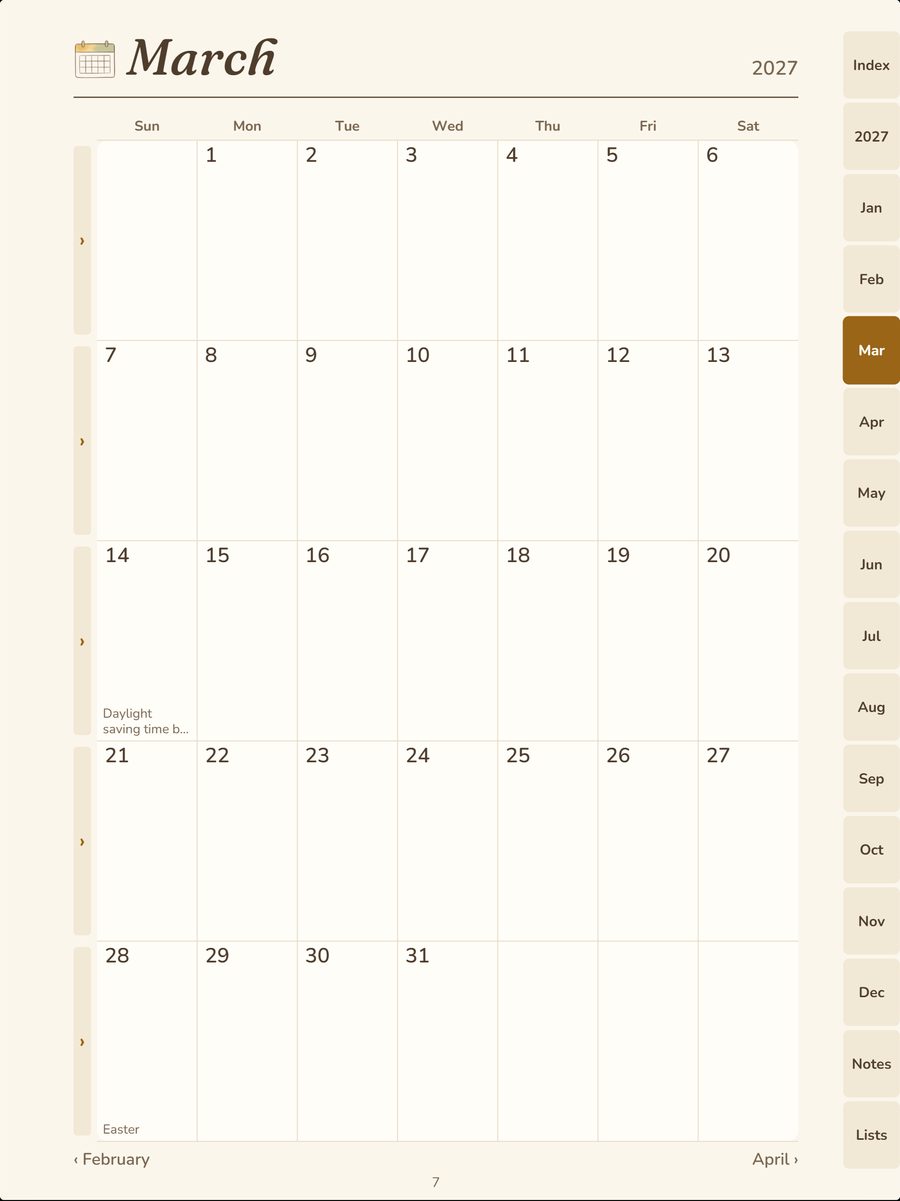
LiteThe month.Every date opens its day; the tabs open the rest.
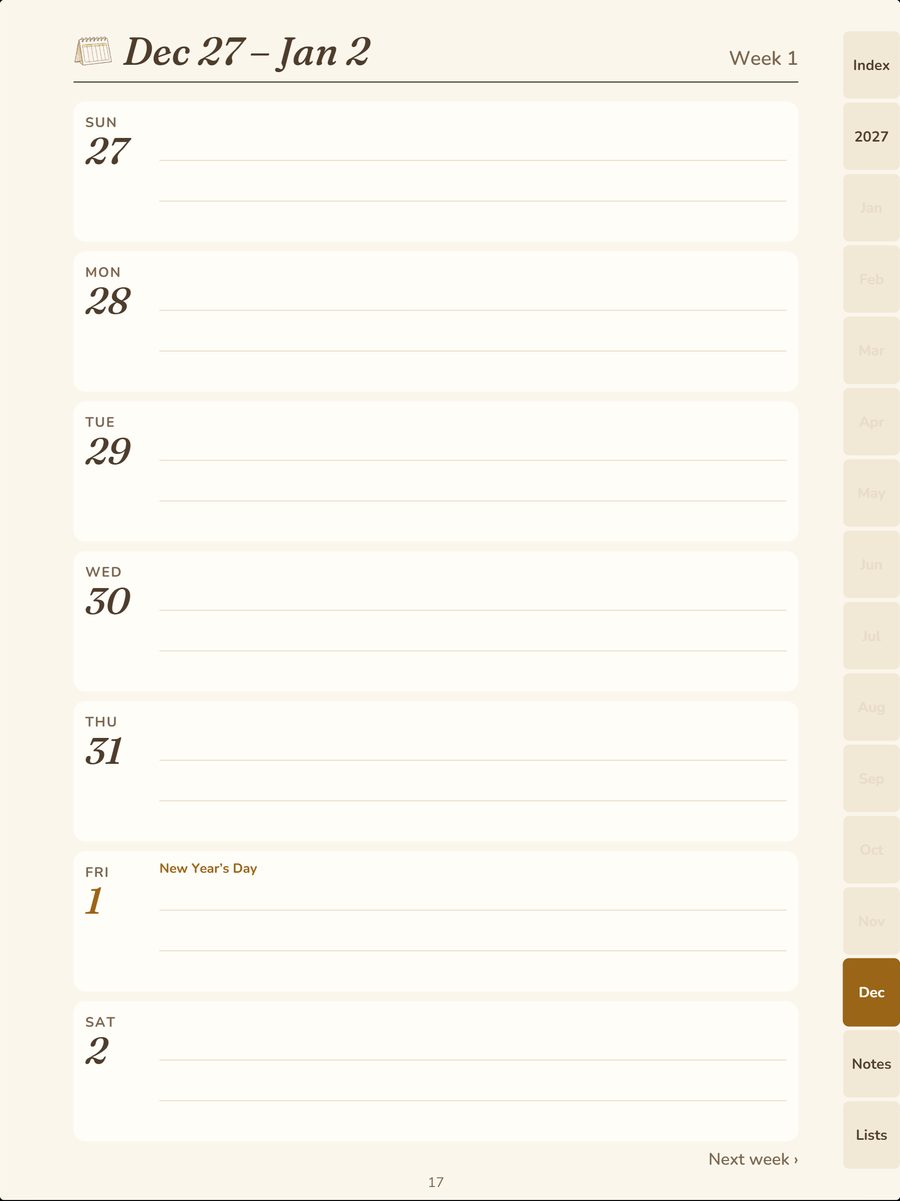
LiteThe week.A row a day, with room to write.
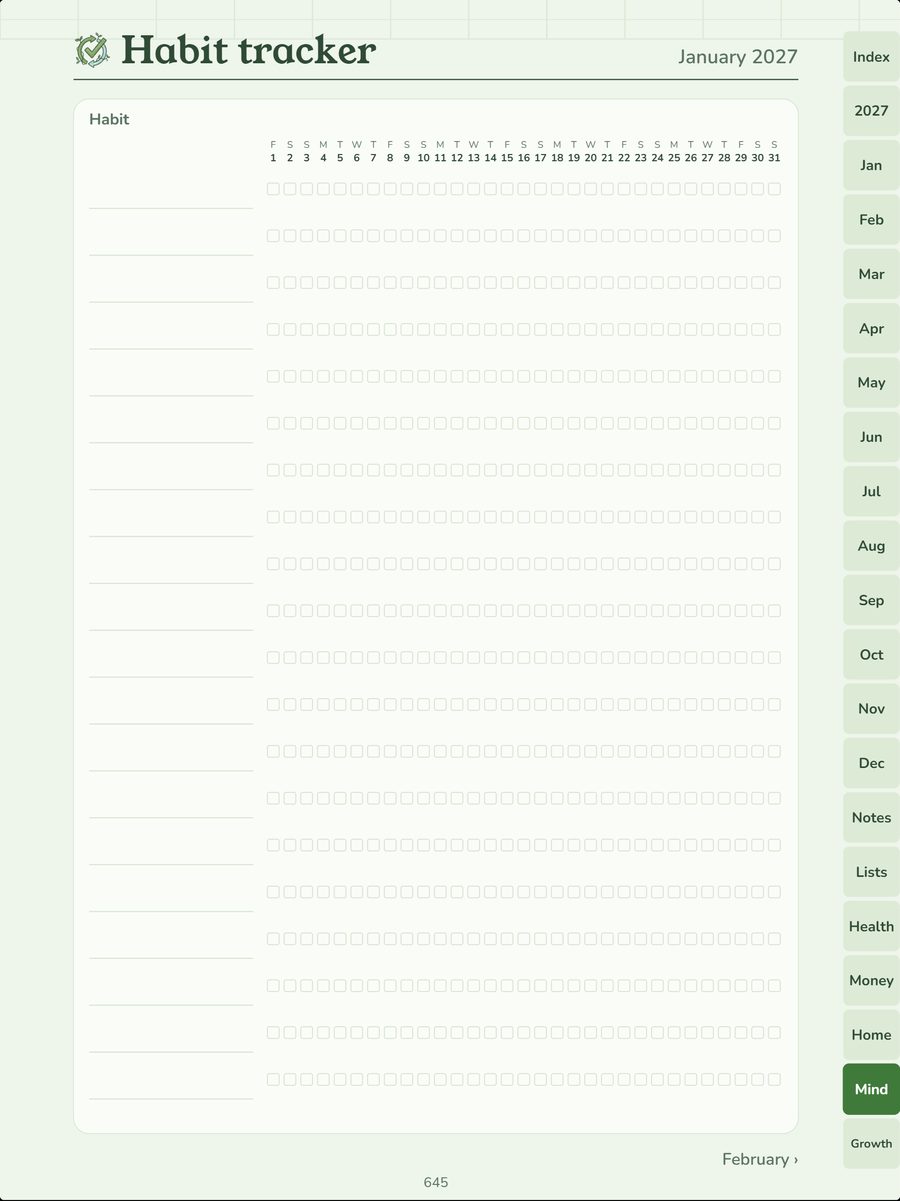
StandardThe habit tracker.A row a habit, a box a day.
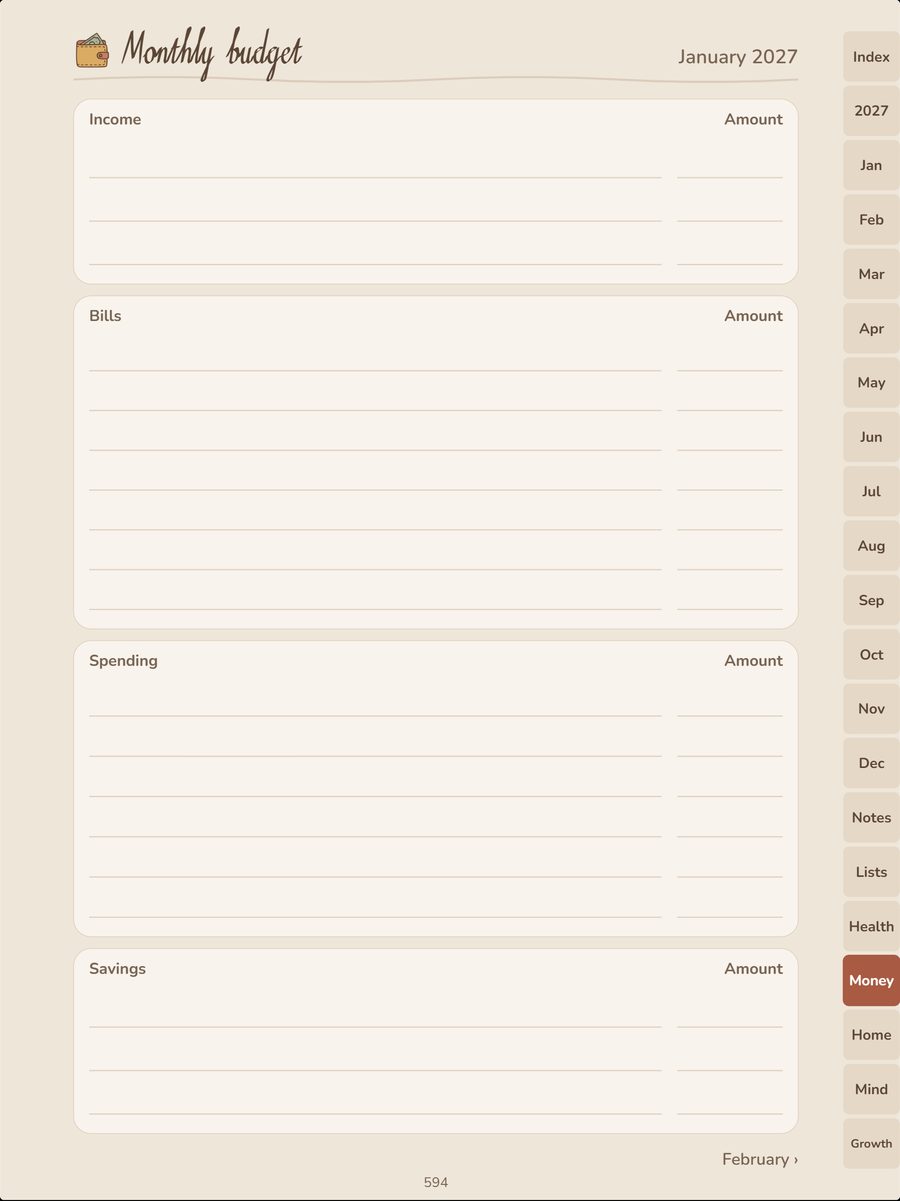
StandardThe monthly budget.A blank form for your own numbers.
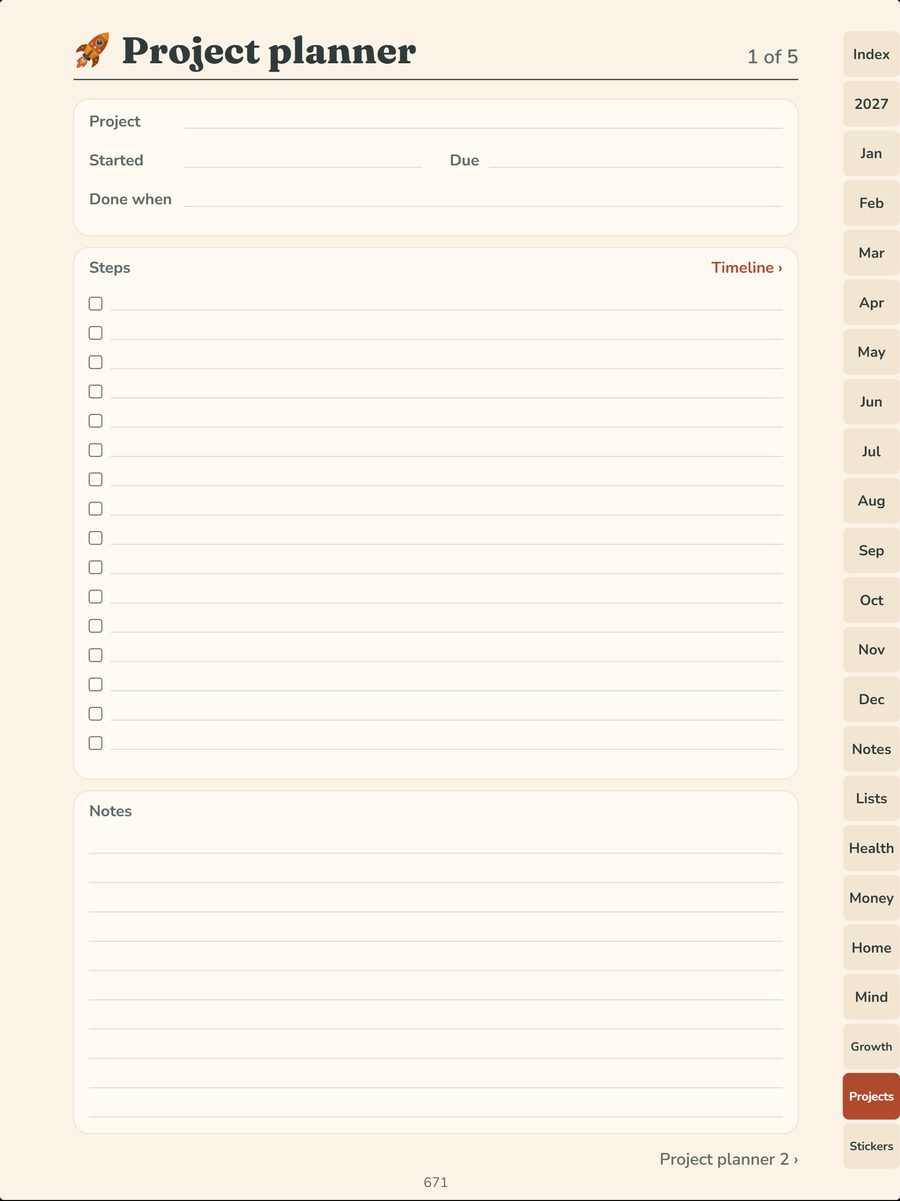
UltimateThe project planner.Steps, dates and notes, linked to its timeline.
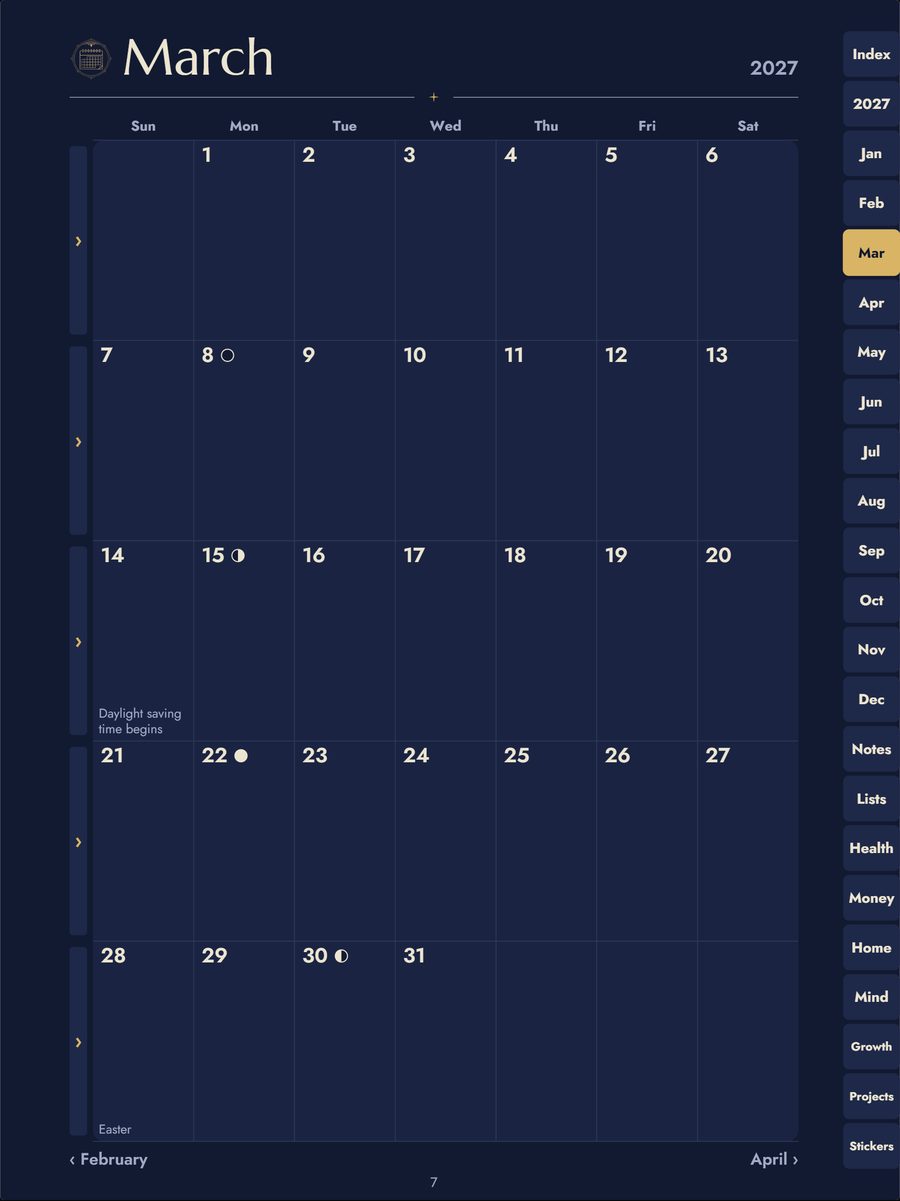
UltimateNight Sky's dark pages.Gold on midnight, for color screens.
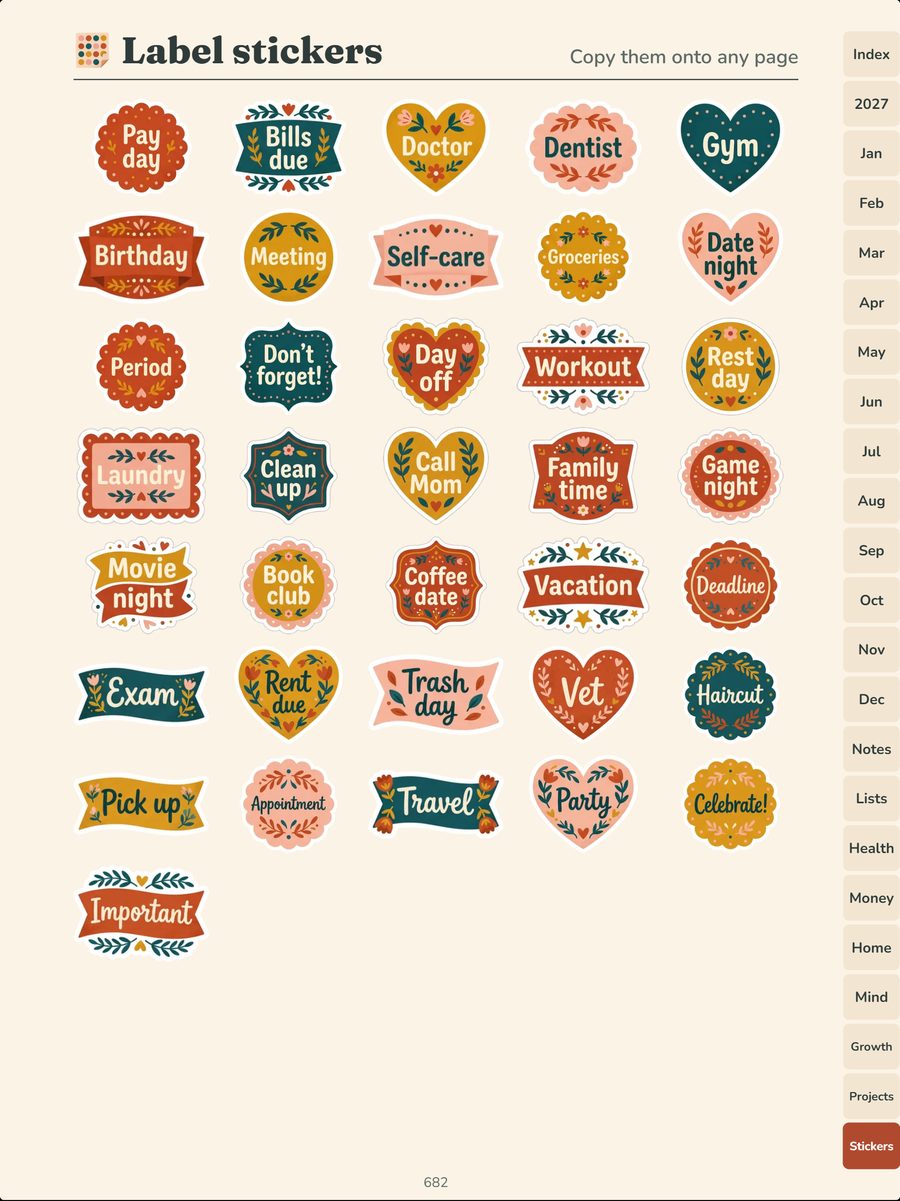
UltimateSticker pages.And the stickers as pictures for your note app.
Why Yearbinder
A planner shouldn't end with the year you bought it for. Yearbinder makes yours on your own computer, for any year you choose, and next year's is one press away.
Make
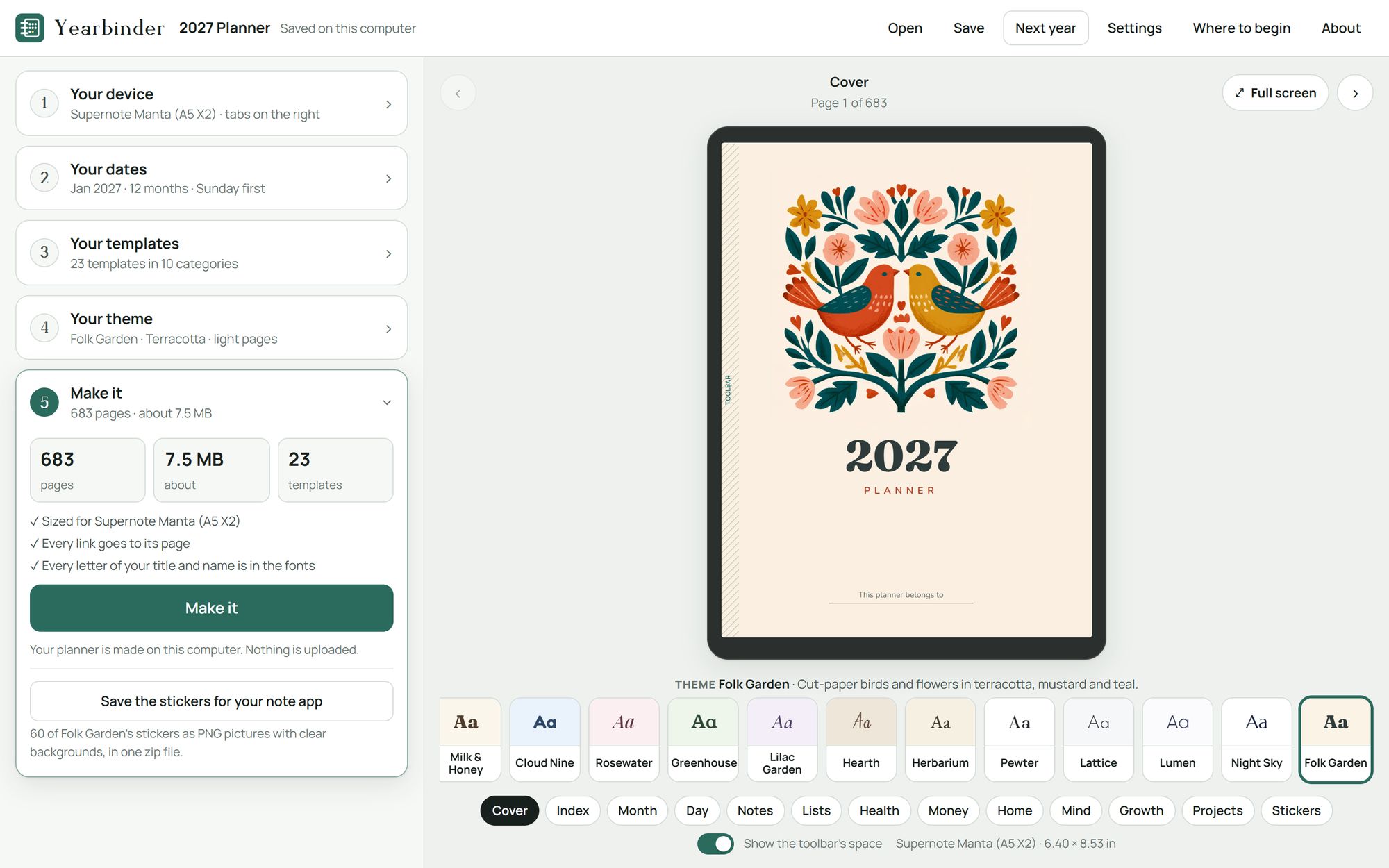
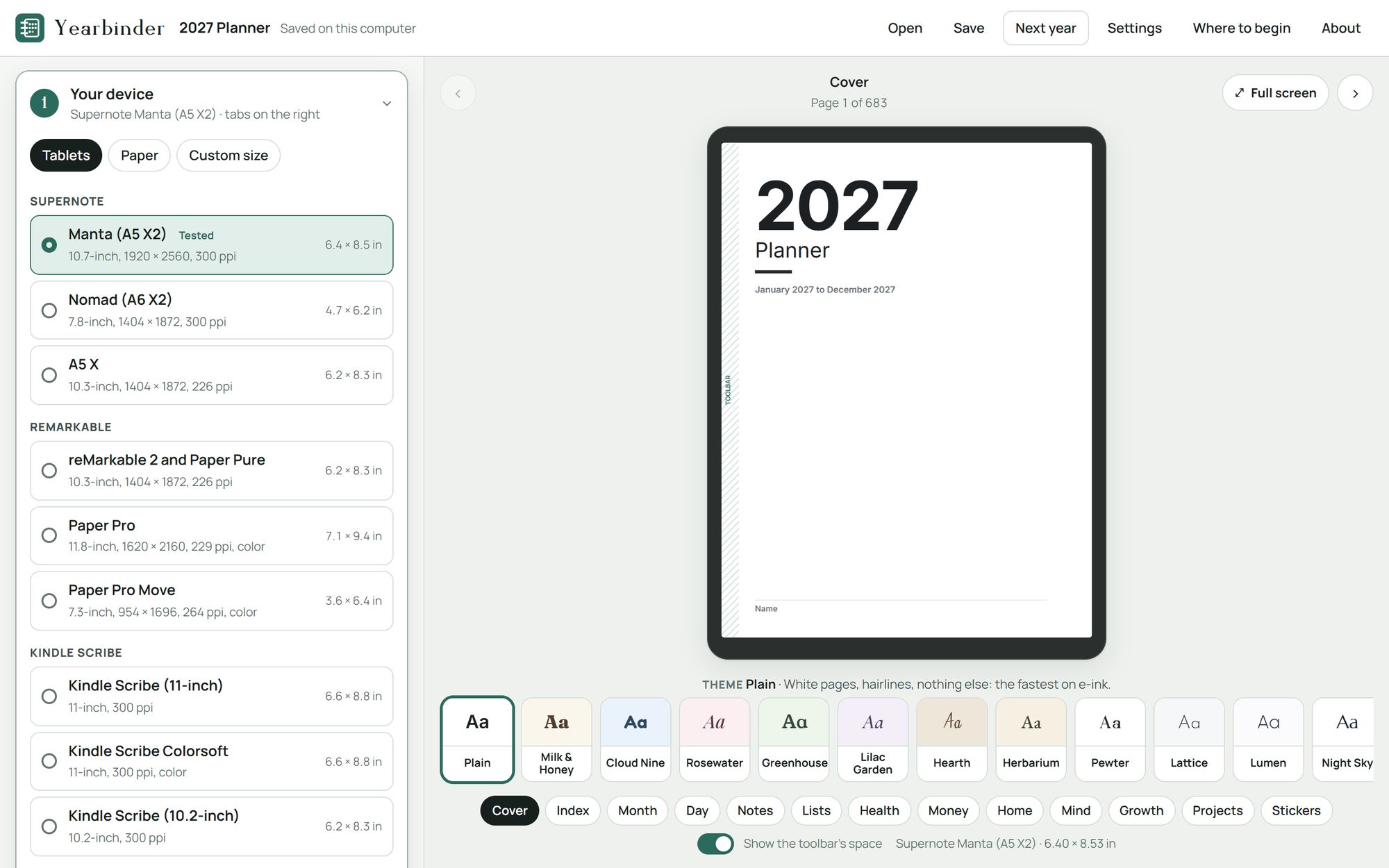
Choose your device, your dates, your templates and your theme, then make it. Beside you, your planner's real page shows each choice, in the shape of your tablet, with the page count and the file's size as you go.
Tablets
Pages sized for 27 tablets by name, from 7 makers, or for a paper size, or a size you type in. Tabs on the left or the right, and room for your tablet's toolbar, so nothing hides under it.
Tested on a Supernote Manta. Every other tablet's pages are made to its maker's published screen size. Your planner opens in any app that shows a PDF and follows its links, or you can print it.
Dates
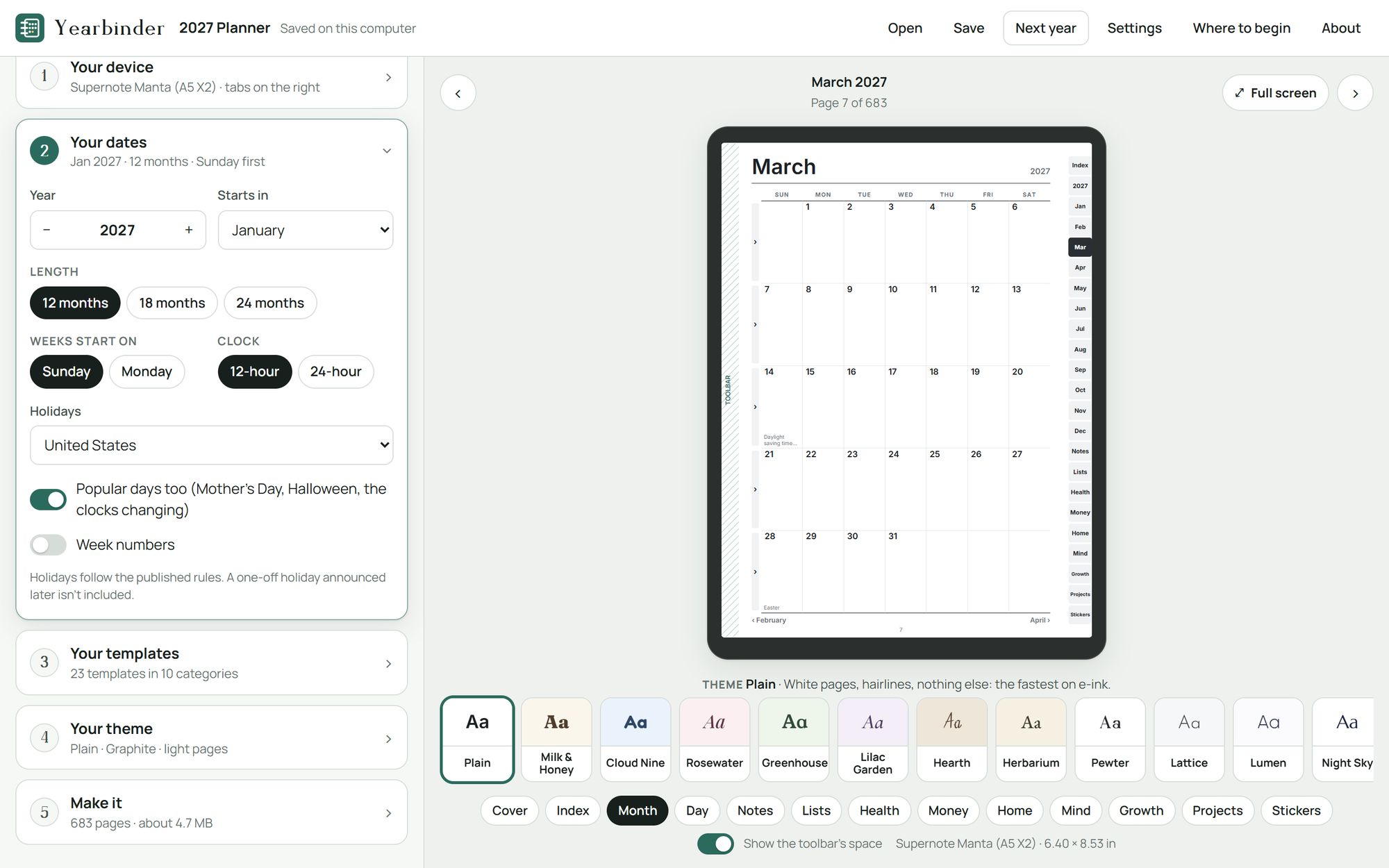
Any year from 2020 to 2099, starting in any month, for 12, 18 or 24 months. US or UK holidays, or none; weeks that start on Sunday or Monday; the 12- or 24-hour clock; week numbers if you like.
Templates
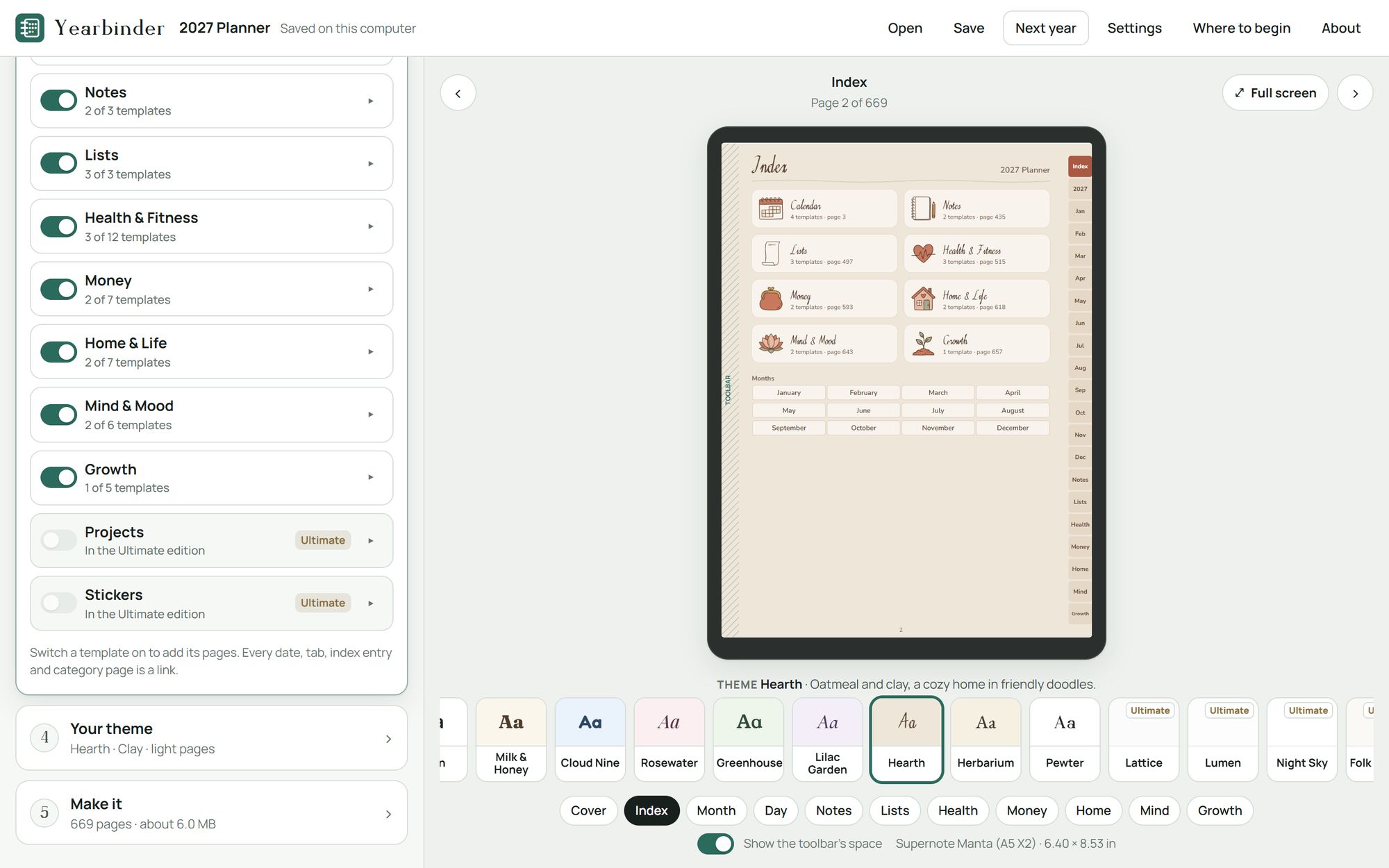
Switch each category on or off, and choose its templates and how many pages each gets: from a year at a glance to a page a day, notes and lists, trackers, logs and planners. Each lands in your index and its tab. The health and money templates are blank forms: they keep what you write, with no advice, ranges or targets.
Themes
From plain hairlines for the fastest e-ink screens to watercolor flowers and gold on midnight. 11 themes bring their own pictures: icons, headers, a cover and stickers, each with its accent colors.
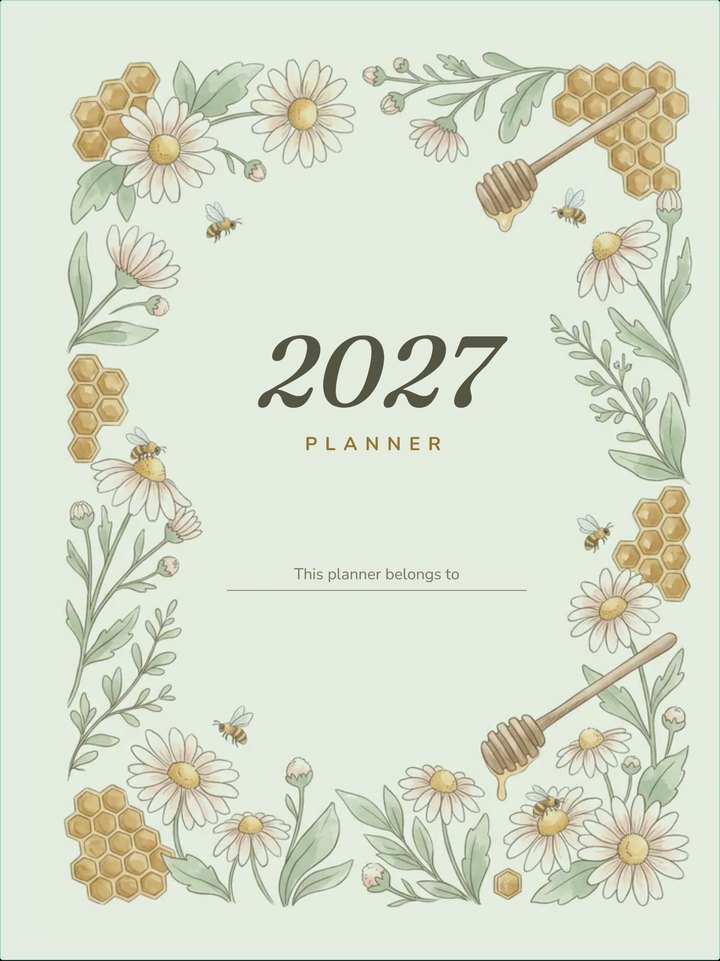
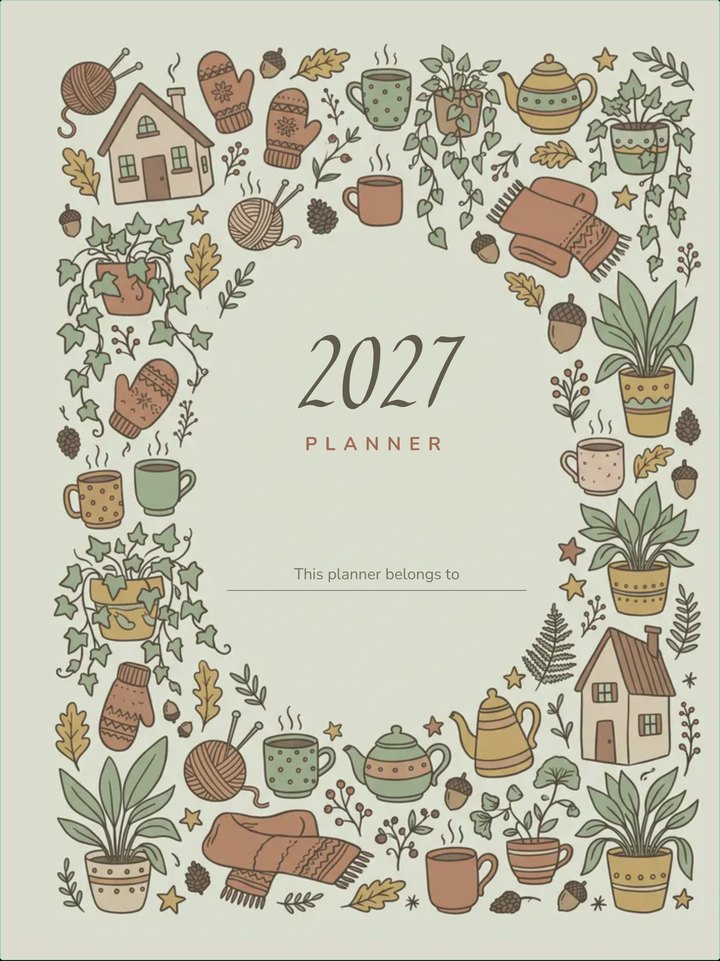
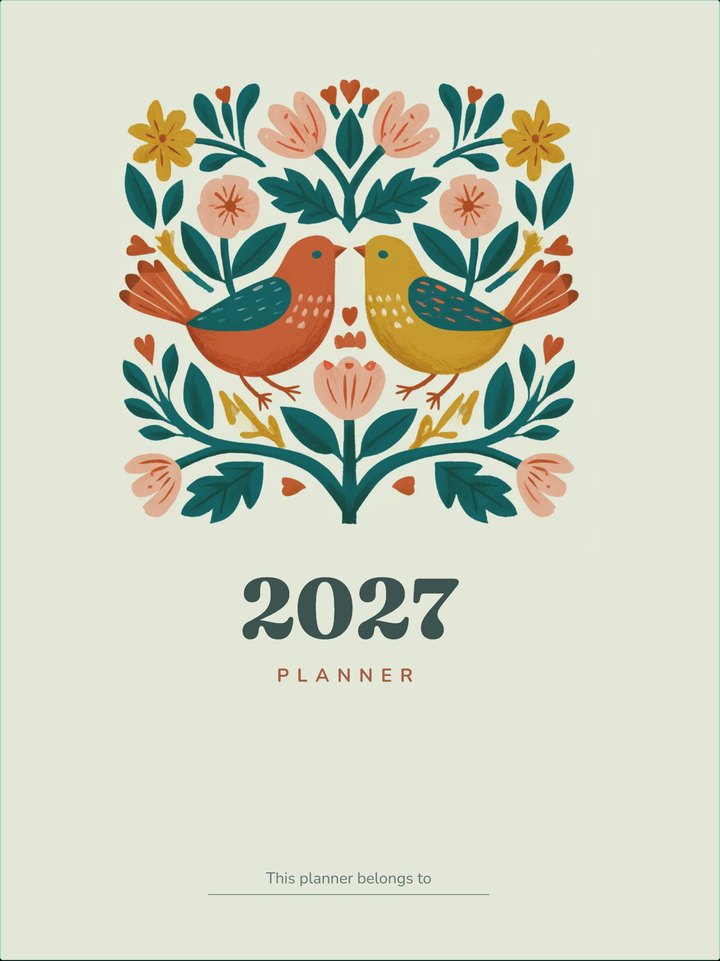
About the pictures. Yearbinder was designed by Pewterham with the help of AI tools. The themes' pictures (the icons, headers, covers and stickers) were made with the help of AI image tools, then picked and finished by us. Yearbinder itself, its layouts and its links are ours.
Linked
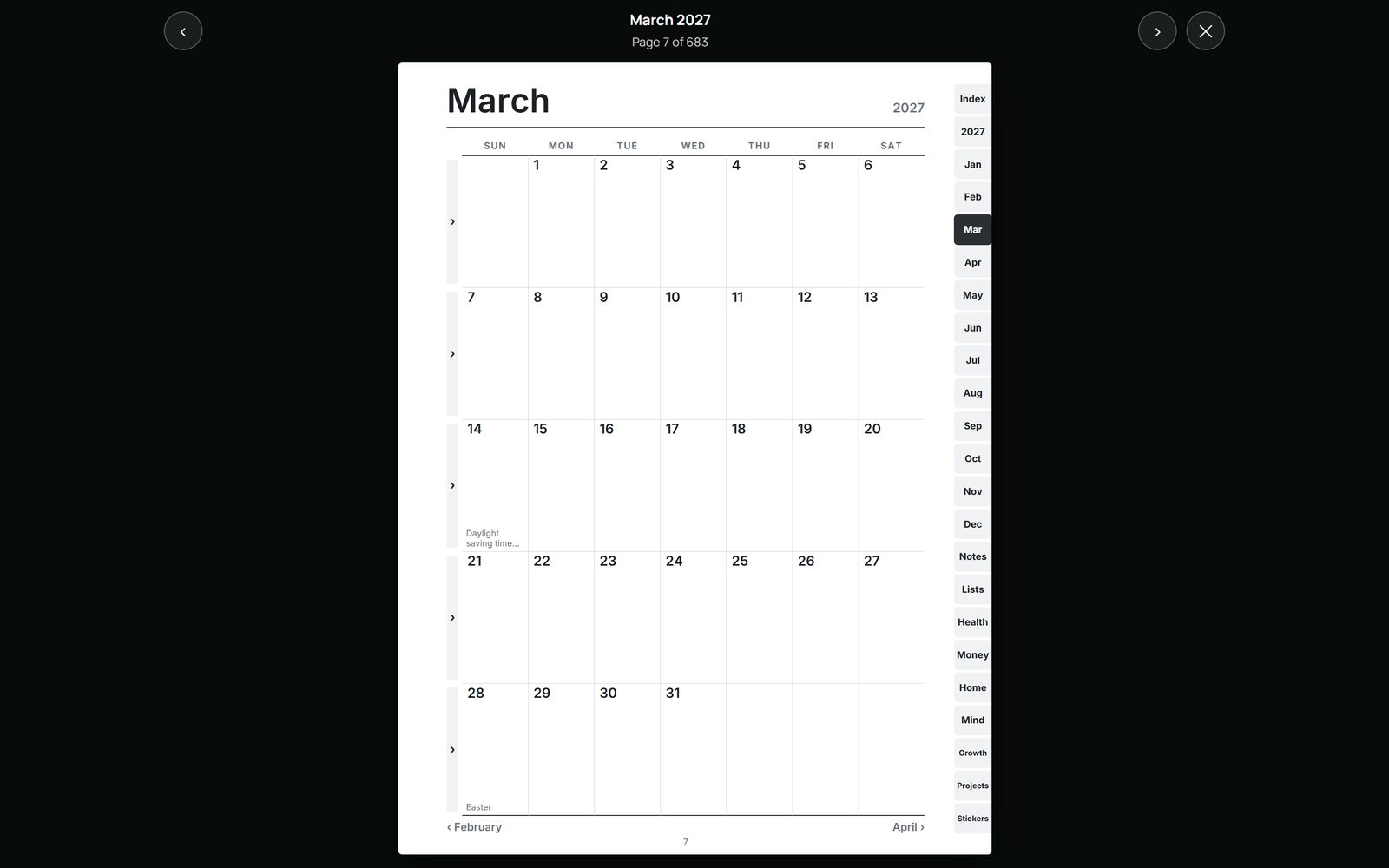
Every date, tab and index entry in your planner is a link: tap one and the page opens, and the tabs bring you back. See any page full screen before you make it, and turn through it as you will on your tablet.
Next year
Yearbinder runs in your web browser, from a folder on your computer. It installs nothing and needs no account. Your choices and your planner stay on this device: nothing is uploaded.
Compare
Planner Wizard makes a linked planner in a wizard on its website, free, with a Pro license for more themes and pages; Templacity sells ready-made planners for each brand of tablet. Yearbinder is a different deal: you pay once, make your planner on your own computer for any year, and make next year's the same way. Here's how they compare, from each one's own pages, read on November 4, 2026.
| Feature | YearbinderPewterham | Planner WizardPlanner builder | TemplacityReady-made planners |
|---|---|---|---|
| What you pay | From $14.99, once | Free; a Pro license, bought once, adds themes and page templates1 | Bought once, a planner for each brand of tablet2 |
| The years | Any year from 2020 to 2099, and next year's with one press | Any start and end date you set1 | Dated for 2026 and 20272 |
| Your tablet | 27 tablets by name, a paper size, or your own size | Every device size; themes tuned for e-ink1 | A planner for reMarkable, Kindle Scribe or Boox; The Complete System for several brands2 |
| Linked pages | Every date, tab and index entry | One fully hyperlinked PDF1 | One hyperlinked PDF2 |
| Where it's made | On your own computer, in your browser | In a visual wizard on its website1 | Ready-made: a PDF you download2 |
Prices and terms change: check their sites before you buy. Planner Wizard and Templacity are trademarks of their owners, as are reMarkable, Kindle Scribe and Boox; Pewterham isn't connected with any of them.
Three editions
Every edition makes your planner as one linked PDF, sized to your tablet, for any year from 2020 to 2099. They differ in the pages and the looks you can choose.
Start here
The calendar, notes and lists.
$14.99once
More pages
Adds health, money, home, mind and growth.
$24.99once
Everything
Adds projects and sticker pages, and the sticker zip.
$34.99once
| Feature | Lite$14.99 | Standard$24.99 | Ultimate$34.99 |
|---|---|---|---|
| The pages | |||
| Templates | 10 | 47 | 52 |
| Categories | 3 | 8 | 10 |
| The calendar, notes and lists | Yes | Yes | Yes |
| Health, money, home, mind and growth | No | Yes | Yes |
| Projects: a project planner, a Gantt timeline and a Kanban board | No | No | Yes |
| Sticker pages | No | No | Yes |
| The look | |||
| Themes | 2 | 9 | 13 |
| Themes with their own pictures | 1 | 7 | 11 |
| Night Sky's dark pages, for color screens | No | No | Yes |
| A theme's stickers as pictures, in one zip | No | No | Yes |
| In every edition | |||
| Tablets by name, from 7 makers | 27 | 27 | 27 |
| Any year from 2020 to 2099; 12, 18 or 24 months | Yes | Yes | Yes |
| US or UK holidays, or none | Yes | Yes | Yes |
| Next year, made the same way | Yes | Yes | Yes |
Tested on a Supernote Manta. Every other tablet's pages are made to its maker's published screen size. Your planner opens in any app that shows a PDF and follows its links, or you can print it.
About the pictures. Yearbinder was designed by Pewterham with the help of AI tools. The themes' pictures (the icons, headers, covers and stickers) were made with the help of AI image tools, then picked and finished by us.
Yearbinder
From $14.99once · no subscription · yours for good · US dollars; any sales tax or VAT is added or included at checkout, as your country requires
Buying on this site opens in the next few days.
Yearbinder makes your planner; you choose its pages and put it on your tablet. A tablet, a note app and printing aren't included. We don't refund a change of mind once the download starts. If anything's wrong with it, we'll fix it, replace it or refund you. Terms and refunds
Lite has the calendar, notes and lists. Standard adds health and fitness, money, home and life, mind and mood, and growth. Ultimate adds projects and sticker pages, Night Sky's dark pages for color screens, and the stickers as pictures for your note app. Every edition makes any year, for every tablet in the list. Compare every feature
Yearbinder makes your pages to the published screen size of each of 27 tablets by name, or to a paper size, or a size you type in. We test it on a Supernote Manta. Your planner opens in any app that shows a PDF and follows its links.
You make your planner on a Windows or Mac computer, in Chrome or Edge. Then copy the PDF to your tablet, iPad or phone, and open it in an app that follows a PDF's links. Phones and tablets can't open Yearbinder itself from a downloaded folder.
Yes. Save your choices as a .planner file, then press Next year: the same pages and the same look, for the year after. Make as many planners as you like.
No. Your license is for you and your household: make as many planners as you like and use them on all your own devices. Please don't share or resell Yearbinder, or sell the planners you make with it. Read the license
Yes: the themes' pictures were made with the help of AI tools, then picked and finished by us. Yearbinder itself, its layouts and its links are ours.
Only once, for a moment, to activate your code. After that it works offline.
We don't refund a change of mind once the download starts. If something's wrong with it, tell us: we'll fix it, replace it or refund you. Your legal rights aren't affected.
We read every message, and we keep improving.
Write to [email protected], about the app or anything else.